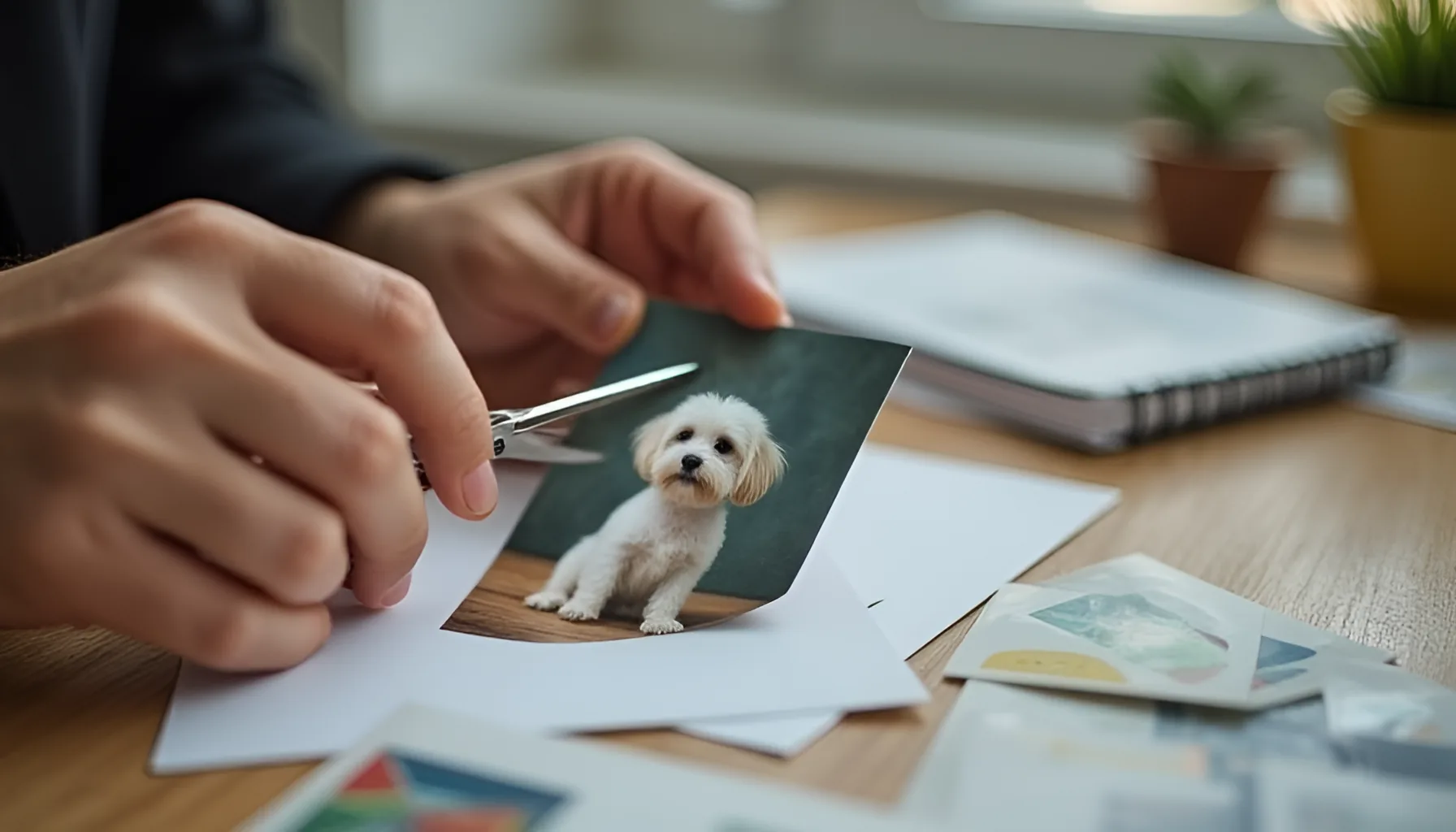
사진 배경 제거, 사이트 대신 그림판·사진 앱·아이폰으로도 될까요?
사진 배경 제거는 윈도우 그림판·사진 앱, 파워포인트 데스크톱, iOS 16 이상 아이폰(XS·XR 이후)에서도 돼요. 다만 2026년 10월 23일 이 PC 그림판에서는 배경을 숨긴 뒤 저장해도 지운 자리가 흰색으로 저장됐어요.
AI 기술을 누구나 쉽게 활용할 수 있도록 실전 가이드를 작성합니다. ChatGPT, Claude, AI 자동화, SEO 분야를 전문으로 다룹니다.
AI 이미지 생성기를 써봤는데 원하는 결과가 안 나온 적 있으시죠? 대부분 프롬프트 작성법을 모르기 때문이에요.
제가 Midjourney, DALL-E, Stable Diffusion에서 수백 번 테스트하면서 정리한 프롬프트를 카테고리별로 공유할게요. 복사해서 바로 써보세요.
좋은 프롬프트에는 이 5가지 요소가 들어가요:
주제 + 스타일 + 분위기 + 카메라/구도 + 품질 키워드
예시: "A cozy coffee shop interior, watercolor painting style, warm autumn atmosphere, wide angle shot, highly detailed, 4K"
이 공식만 기억하면 원하는 이미지의 70%는 잡을 수 있어요.
블로그 썸네일이나 SNS 포스트에 바로 쓸 수 있는 프롬프트예요.
1. 미니멀 비즈니스 배경 "Clean minimalist workspace with laptop, coffee cup, and small plant, soft natural light from window, pastel color palette, top-down view, no text no letters"
2. 테크놀로지 느낌 "Abstract technology background with glowing blue circuit patterns, dark background, futuristic style, soft bokeh lights, no text"
3. 자연 풍경 배경 "Serene mountain lake at sunrise, golden hour lighting, reflection on water, ultra wide landscape, cinematic, 8K quality"
4. 음식 사진 스타일 "Appetizing Korean bibimbap in stone pot, overhead view, steam rising, rustic wooden table, food photography, natural lighting"
5. 건강/웰빙 이미지 "Person doing yoga in bright modern studio, morning sunlight streaming through large windows, peaceful atmosphere, soft focus background"
6. 금융/재테크 이미지 "Growing plant coming out of coin stack, business growth concept, clean white background, minimal style, professional photography"
7. 교육/학습 이미지 "Open notebook with colorful sticky notes and highlighters, cozy study setup, warm desk lamp, shallow depth of field"
8. 라이프스타일 "Happy family walking in cherry blossom park, spring season, soft pink petals falling, warm afternoon light, candid style"
9. 아이콘/일러스트 "Set of flat design icons for mobile app, pastel colors, rounded corners, consistent style, white background, clean vector art"
10. 추상 아트 배경 "Flowing abstract shapes in gradient colors, purple to blue to teal, smooth organic forms, modern art style, high resolution"
실제 사진처럼 보이는 이미지가 필요할 때 쓰세요.
11. 인물 포트레이트 "Professional headshot of young Asian business woman, confident smile, modern office background blurred, soft studio lighting, Canon EOS R5, 85mm lens"
12. 제품 사진 "Sleek wireless earbuds on marble surface, dramatic side lighting, reflection visible, product photography, white background, ultra sharp"
13. 건축 사진 "Modern glass building exterior at blue hour, city skyline reflection, long exposure, architectural photography, symmetrical composition"
14. 거리 사진 "Rainy night in Seoul city street, neon signs reflecting on wet pavement, cinematic mood, 35mm film grain, moody color grading"
15. 자동차 "Red sports car on empty desert highway, golden hour sunset behind, low angle shot, motion blur on road, automotive photography"
16. 실내 인테리어 "Scandinavian style living room, neutral tones, large windows with sheer curtains, houseplants, warm afternoon light, interior design magazine"
17. 반려동물 "Golden retriever puppy playing in autumn leaves, backlit by warm sunlight, shallow depth of field, joyful expression, pet photography"
18. 카페 분위기 "Latte art being poured by barista hands, close-up shot, steam visible, rustic coffee bar background, warm tones, 50mm lens"
19. 여행 사진 "Traditional Japanese temple gate with red torii, cherry blossoms framing the scene, morning mist, travel photography, vibrant colors"
20. 스포츠 액션 "Basketball player mid-air dunking, dramatic arena lighting, motion freeze, low angle, sports illustrated style, dynamic composition"
21. 수채화 스타일 "Watercolor painting of Paris street cafe, loose brushstrokes, soft pastel colors, artistic, paper texture visible"
22. 애니메이션 스타일 "Anime style girl reading book in magical library, floating books around, warm golden light, Studio Ghibli inspired, detailed"
23. 픽셀 아트 "Pixel art cozy bedroom at night, moonlight through window, cat sleeping on bed, 16-bit style, retro game aesthetic"
24. 3D 렌더링 "Cute 3D character mascot, round friendly robot, soft pastel colors, Pixar style, white background, ambient occlusion"
25. 팝아트 "Pop art style portrait, bold primary colors, halftone dots pattern, Andy Warhol inspired, high contrast, graphic design"
26. 유화 스타일 "Oil painting of autumn forest path, thick impasto brushstrokes, warm orange and red palette, impressionist style, canvas texture"
27. 만화 스타일 "Comic book style superhero landing pose, dynamic action lines, bold outlines, vibrant colors, Marvel comics inspired"
28. 플랫 디자인 "Flat design illustration of smart city concept, isometric view, bright colors, clean geometric shapes, infographic style"
29. 레트로 포스터 "Vintage travel poster for Jeju Island, 1960s illustration style, limited color palette, bold typography space, retro grain"
30. 사이버펑크 "Cyberpunk cityscape at night, neon signs in Korean and English, rain, flying cars, Blade Runner atmosphere, high detail"
품질 향상: highly detailed, 4K, 8K, ultra HD, masterpiece, best quality, sharp focus
조명: cinematic lighting, golden hour, soft natural light, dramatic side light, neon glow, backlit
카메라: 35mm lens, 85mm portrait lens, wide angle, macro shot, aerial view, low angle, bird eye view
분위기: moody, ethereal, peaceful, dramatic, cozy, mysterious, vibrant
제외 키워드 (Negative): blurry, low quality, text, watermark, distorted, ugly, duplicate
1. 너무 짧은 프롬프트 "고양이 그려줘" → 결과가 랜덤이에요. 최소 20단어 이상 구체적으로 작성하세요.
2. 상충되는 지시 "밝고 어두운 분위기" → AI가 혼란스러워해요. 하나의 방향으로 통일하세요.
3. 한국어만 사용 대부분의 모델은 영어에 최적화되어 있어요. ChatGPT에 "이 프롬프트를 영어로 바꿔줘"라고 하면 됩니다.
4. "no"를 너무 많이 사용 "no cats, no dogs, no birds" 대신 원하는 것만 명확하게 쓰는 게 나아요.
5. 스타일 키워드 누락 "집 그려줘"는 사진일 수도, 그림일 수도 있어요. "watercolor painting of a house"처럼 스타일을 꼭 명시하세요.
같은 문장도 어느 모델에 넣느냐에 따라 결과가 크게 갈려요. 제가 6개월간 테스트하면서 정리한 차이점을 공유할게요.
Midjourney v6.1·v7 (2026-05 기준)
--ar 16:9, --style raw, --stylize 250 같은 파라미터로 세부 조정DALL-E 3 (ChatGPT 통합)
FLUX.1-dev·Stable Diffusion XL
블로그 운영자가 가장 자주 쓰는 카테고리만 30개 더 추가해요.
31. 인포그래픽 배경 "Clean white background with subtle geometric pattern, soft pastel accents, vector illustration style, designed for data visualization"
32. 다이어그램 일러스트 "Hand-drawn flowchart concept illustration, friendly cartoon style, light blue and yellow palette, isolated on white"
33. 헤더 배너용 "Wide cinematic banner of misty pine forest at dawn, soft golden rays, ultra-wide 21:9 aspect ratio, depth of field"
34. 강의 썸네일 "Korean instructor pointing at floating holographic data charts, modern classroom setting, vibrant blue tones, clean tech style"
35. 책 표지용 풍경 "Lonely lighthouse on rocky cliff, dramatic stormy sky, oil painting style, deep blue and orange contrast, vertical 2:3"
36. SNS 광고 정사각 "Smiling young woman holding smartphone with celebration confetti, bright pink and yellow background, 1:1 aspect ratio, modern flat illustration"
37. 환경·지속가능성 컨셉 "Hand holding small green sapling growing into a globe, eco-friendly concept, natural sunlight, environmental awareness theme"
38. 가상 인플루언서 톤 "Photorealistic Asian female influencer in pastel cardigan, soft daylight bedroom background, candid pose, vlog camera angle"
39. 의료·헬스케어 "Stethoscope and digital tablet showing health charts on white desk, top-down view, clean medical photography, soft blue tones"
40. 노트북 작업 씬 "Hands typing on MacBook with coffee cup and notebook, warm coffee shop lighting, blurred background, copy space top, lifestyle photography"
해외 스톡 사진은 흔하지만 한국 소재는 의외로 부족해요. 차별화 포인트로 잡으면 클릭률이 올라가요.
Bukchon Hanok village, Han River park at night, Jeju Island stone wall, Gyeongbokgung palace courtyardKorean bibimbap stone pot, tteokbokki street stall, Korean BBQ grill close-upK-drama cinematic look, Seoul rainy night neon, cherry blossoms in Yeouidoyoung Korean woman in modern hanbok, Asian businessman in suit, Seoul skyline behind영어로 쓰되 고유명사는 그대로 적는 게 정확도가 가장 높아요.
1. 해상도 키워드만 반복
"4K 8K ultra HD super sharp masterpiece" 다 적어도 효과가 중첩되지 않아요. highly detailed, 4K 정도로 충분해요. 길어지면 다른 핵심 단어의 가중치가 묻혀버려요.
2. 부정 키워드를 본문에 섞기
"not blurry, no text" 같은 부정 표현을 본문 프롬프트에 넣으면 오히려 "blurry, text"를 강조하는 효과가 날 수 있어요. Midjourney는 --no text, blurry로, Stable Diffusion은 Negative Prompt 칸을 따로 써요.
3. 색 지정 충돌 "red and blue and yellow and green" 너무 많은 색을 동시에 지정하면 산만한 결과가 나와요. 보통 2~3색 팔레트로 한정하세요.
4. 카메라 렌즈 정보 누락
"professional photography"만 적으면 추상적이에요. 35mm lens, 85mm portrait, macro 100mm, aerial drone shot처럼 구체적 렌즈·앵글을 지정하면 사진다운 결과가 나와요.
5. 시드값 미관리
마음에 든 결과의 시드 번호를 메모하지 않으면 같은 분위기를 다시는 재현 못 해요. Midjourney는 /show <job_id>, Stable Diffusion은 metadata로 확인할 수 있어요.
프롬프트 실력을 빠르게 올리는 방법은 하나예요. 직접 써보고 결과를 비교하는 거예요.
오늘 당장 해볼 것:
프롬프트는 외우는 게 아니라 감을 익히는 거예요. 50번만 해보면 원하는 이미지를 뽑아내는 감각이 생길 거예요. 처음 30회는 헛수고처럼 느껴져도 50회 즈음부터 "어떤 단어가 효과 있고 어떤 게 노이즈인지" 패턴이 보이기 시작해요. 실력은 시간이 쌓는 게 아니라 반복이 쌓는 거예요.
AI 이미지를 블로그·SNS에 쓰는 건 흔해졌지만, 상업적 활용을 시작하면 라이선스 문제가 발목을 잡을 때가 있어요. 도구별 정책을 한 줄로 정리할게요.
스톡 사이트에 판매할 거라면 Adobe Firefly나 Midjourney Pro가 가장 안전해요. 같은 이미지를 여러 플랫폼에 교차 판매할 때 라이선스 충돌이 안 나요.
AI 이미지 모델은 영어 텍스트는 점점 정확해졌지만 한글은 여전히 어렵죠. 우회 방법 4가지를 정리할게요.
1. DALL-E 3 우선 시도 ChatGPT 통합 DALL-E 3는 한글 텍스트 정확도가 다른 모델보다 압도적으로 높아요. 짧은 단어 (5글자 이내) 정도면 정확하게 나와요.
2. Canva·Figma에서 별도 텍스트 합성 AI는 배경 이미지만 만들고 텍스트는 Canva에서 얹는 방식이 가장 깔끔해요. 폰트도 자유롭게 선택 가능하고 수정도 쉬워요.
3. Photoshop Firefly 활용 Adobe Photoshop의 Generative Fill은 기존 이미지에 요소를 자연스럽게 끼워 넣는 데 강해요. 한글 텍스트 지원 범위는 버전마다 달라지니, 시도 전에 Adobe 공식 업데이트 내역을 확인하는 게 정확해요.
4. 영문으로 만들고 후처리 "BIG SALE", "NEW" 같은 영문 텍스트로 일단 생성한 다음 Photoshop에서 한글로 교체. AI가 만들어준 텍스트 박스의 분위기는 유지되니까 자연스러워요.
같은 프롬프트로 매번 다른 이미지가 나오면 클라이언트 작업에선 곤란해요. 시드값과 파라미터를 활용하면 의도한 분위기를 유지할 수 있어요.
Midjourney 시드값 사용법
--seed 1234567890Stable Diffusion·FLUX 시드 관리
스타일 일관성 키워드 시드 외에도 스타일 일관성을 잡는 키워드가 있어요.
consistent character design, same character, series of--cref [이미지URL] (Midjourney v6+)--sref [이미지URL]무료로 시작하기
유료로 빠르게
처음 한 달은 Bing이나 Leonardo로 감을 익히고, 본격적으로 쓸 결심이 서면 Midjourney Basic으로 넘어가는 게 가장 경제적인 경로예요.
이렇게 3장을 완성하면 본인만의 프롬프트 패턴이 보여요. 그 패턴을 텍스트 파일에 정리해두면 다음 프로젝트부터는 5분 안에 결과물이 나와요. 한 달만 꾸준히 만들어도 외주 디자이너에게 의존하지 않고 본인 콘텐츠를 시각화할 수 있어요.
생성한 이미지가 해상도가 아쉽거나 인쇄용으로 더 키워야 한다면, AI 사진 화질 개선 무료 사이트 7곳에서 정리한 업스케일 도구로 깔끔하게 4배까지 키울 수 있어요.
프롬프트가 너무 길면 잘리나요? Midjourney는 약 60단어, DALL-E는 약 1000자까지 안정적으로 인식해요. 너무 길면 후반부 키워드가 무시되니까 중요한 단어를 앞쪽에 배치하세요.
Negative prompt는 어디까지 효과 있나요?
Stable Diffusion 계열에서 가장 효과가 명확해요. "blurry, deformed, watermark" 같은 부정 키워드를 따로 칸에 넣으면 결과 품질이 한 단계 올라가요. Midjourney에서는 --no [단어] 형식으로 사용.
같은 이미지를 여러 비율로 만들고 싶어요
원본 정사각 이미지를 만든 다음 --ar 16:9 --zoom 1.5 같은 옵션으로 비율 확장이 가능해요. 또는 Photoshop의 Generative Expand 기능으로 여백을 자연스럽게 채울 수 있어요.
워크플로우를 더 빠르게 하는 단축키는 있나요?
Midjourney Discord에서는 /imagine 입력 → 즉시 키워드 자동완성. Stable Diffusion WebUI는 단축키 Ctrl+Enter로 즉시 생성. Krea AI는 실시간 미리보기로 키워드 추가 즉시 결과 확인이 가능해요.
같은 인물을 여러 컷에 일관되게 유지하려면 어떻게 하나요? Midjourney 최신 버전에서는 캐릭터 참조 기능을 활용하면 됩니다. 인물 이미지 한 장을 기준으로 설정해두고 다양한 배경·포즈에서 같은 인물을 유지할 수 있어요. 광고 콘텐츠나 시리즈물 작업할 때 가장 유용한 기능 중 하나입니다.
프롬프트를 외울 필요가 있나요? 외울 필요는 없고, 본인만의 라이브러리를 만드는 게 효율적이에요. 잘 나온 결과의 프롬프트를 노션이나 텍스트 파일에 카테고리별로 정리해두면 다음 프로젝트에서 즉시 재활용 가능합니다.
주제, 스타일, 분위기, 카메라 앵글, 조명 순서로 구체적으로 작성하면 돼요. 추상적인 표현보다 "cinematic lighting, 35mm lens"처럼 구체적 단어가 결과가 좋아요.
대부분의 AI 이미지 생성기는 영어 프롬프트에 최적화되어 있어요. 한국어를 지원하는 도구도 있지만, 영어로 작성하는 게 결과물 품질이 더 좋아요.
예술적이고 분위기 있는 이미지는 Midjourney가, 사실적이고 정확한 묘사가 필요하면 DALL-E 3가 나아요. 용도에 따라 선택하세요.
완벽하지는 않지만 "no text, no letters, no words"를 넣으면 글자가 나올 확률이 크게 줄어요. 특히 Midjourney에서 효과적이에요.
Midjourney 유료 구독자, DALL-E 유료 사용자는 상업적 사용이 가능해요. 무료 플랜은 제한이 있으니 각 서비스 약관을 꼭 확인하세요.
네, AI는 매번 랜덤 시드로 생성하기 때문에 같은 프롬프트여도 다른 결과가 나와요. Midjourney에서는 --seed 옵션으로 고정할 수 있어요.
사진 배경 제거는 윈도우 그림판·사진 앱, 파워포인트 데스크톱, iOS 16 이상 아이폰(XS·XR 이후)에서도 돼요. 다만 2026년 10월 23일 이 PC 그림판에서는 배경을 숨긴 뒤 저장해도 지운 자리가 흰색으로 저장됐어요.
구글 코랩 노트북은 구글 드라이브에 .ipynb 파일로 저장되지만, 코드는 계정 전용 가상 머신에서 돌고 이 가상 머신은 한동안 쓰지 않으면 삭제돼요. 무료 버전은 가용량과 사용 패턴에 따라 최대 12시간까지 돌 수 있고, 유휴 시간 제한과 GPU 종류 같은 한도는 공개하지 않아요.
팟플레이어 AI 자막은 Whisper 모델이 클수록 그래픽카드 메모리를 더 써요. openai/whisper README의 대략값은 small 약 2GB, medium 약 5GB, turbo 약 6GB, large 약 10GB이지만, faster-whisper 벤치마크에서는 large-v2가 8GB 그래픽카드에서 돌았어요. 엔진 배포처는 medium 이상을 권해요.
제미나이 라이브는 Gemini 앱 아래쪽 Live를 누르거나 화면을 왼쪽으로 밀면 시작돼요. 구글 도움말 기준 카메라는 대기, 앱 나가기, 화면 잠금 때 저절로 꺼지고 대기에서 돌아올 때만 다시 켜져요. 화면 공유는 대기나 잠금 때 멈추고 직접 다시 켜야 해요.
구글 시트에서 확장 프로그램 > 매크로 > 매크로 기록으로 작업을 기록하면 앱스 스크립트 함수가 만들어지고, Apps Script 개발자 문서 기준으로 편집기 왼쪽 트리거에서 트리거 추가를 눌러 시간 기반 트리거를 걸면 정해진 간격으로 돌아요. gmail.com 개인 계정은 트리거 실행 시간 합이 하루 90분, 한 번 실행은 6분까지예요.